

Top Tools for Analyzing Marketing Performance (A Simple Guide for Small Businesses)
If you are spending money and time on marketing, whether that is a website, social media, or paid ads, you need a clear way to know if it is actually working. This is where marketing analytics tools come in. The problem is that most guides on this topic are written for large marketing teams with big budgets, not for a small business trying to figure out if last month’s efforts brought in any real customers.
This article breaks down the tools that actually matter for a small business, in plain terms, so you can understand your marketing performance without needing a background in data analysis.
Start With Google Analytics (GA4)
If you only use one analytics tool, it should be Google Analytics, known today as GA4. This tool tracks what happens on your website after someone arrives there, which pages they visit, how long they stay, and whether they complete an action like filling out a contact form or making a purchase.
For a small business, GA4 answers questions like:
- Where are my website visitors coming from, search, social media, or direct visits
- Which pages keep people interested, and which ones they leave quickly
- Are visitors actually completing the actions that matter, such as calls, form submissions, or purchases
The biggest mistake small businesses make with GA4 is installing it and never looking at it again. The value only comes from checking it regularly and using what it shows you to make small improvements to your website.
Use a Dashboard Tool if You Run Marketing on Multiple Platforms
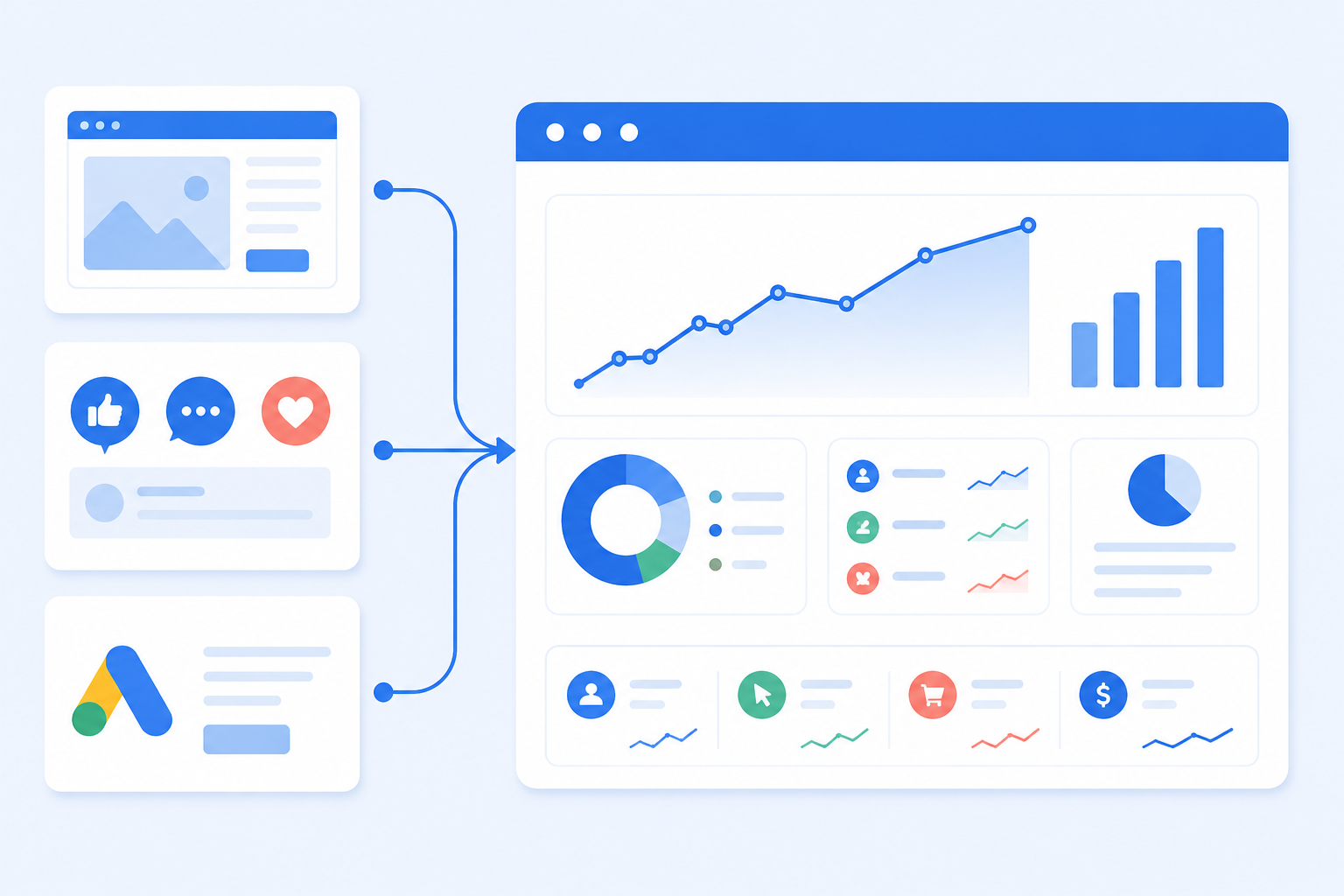
If your business advertises or posts content across more than one platform, such as Google Ads, Facebook, and Instagram, checking each platform separately can become time-consuming. This is where a dashboard tool becomes useful, since it pulls data from different platforms into one place so you can see everything together.
| Tool Type | Best For |
|---|---|
| Looker Studio | Free dashboards that combine data from Google Analytics, Google Ads, and other connected platforms |
| Spreadsheet-based reporting | Manual but flexible tracking, still widely used by small businesses and freelancers |
| Paid dashboard platforms | Automatically pulling data from many ad platforms at once, useful once you are running several campaigns at the same time |
For most small businesses just getting started, a simple Looker Studio dashboard combining website and ad data is enough. Paid, more advanced dashboard tools tend to make more sense for agencies or businesses running large ad budgets across many platforms at once.
Do Not Underestimate a Simple Spreadsheet
It might sound basic, but a well-organized spreadsheet is still one of the most reliable tools for tracking marketing performance, especially for a business that is not running dozens of campaigns at once. A spreadsheet lets you record monthly figures, such as website visitors, leads, and sales, in a format you fully understand and control, without depending on a complicated tool.
Many experienced marketers still use spreadsheets alongside their other tools, simply because they are flexible and easy to review at a glance. If you are just starting to track your marketing performance, a simple monthly spreadsheet is a perfectly good place to begin.
Use SEO Tools to Track Keyword and Competitor Performance
If SEO is part of your marketing plan, dedicated SEO tools help you track how well your website is ranking, what your competitors are doing, and where new opportunities exist. These tools typically cover:
- Keyword rankings over time
- Competitor websites and the keywords they are targeting
- Backlink profiles, meaning which websites link to yours and your competitors
These platforms are usually priced for agencies and can be more advanced than most small businesses need on day one. If you are not ready for a paid SEO platform, Google Search Console still gives you the core ranking and keyword data for free, and is often enough for a business tracking a manageable number of keywords.
Check How Visitors Actually Use Your Website
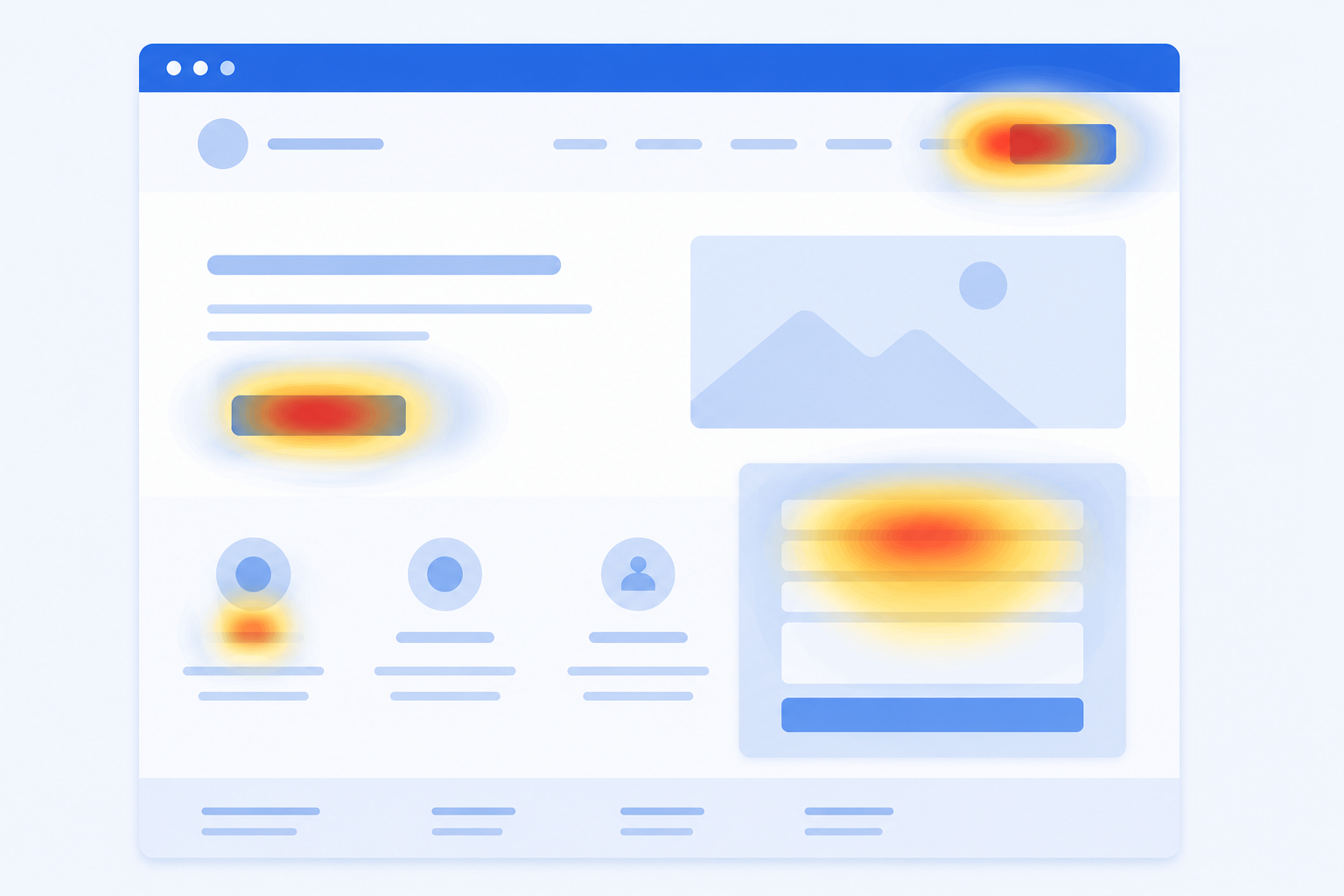
Numbers alone do not always explain why something is happening. Heatmap and session recording tools show you exactly how visitors move through your website, where they click, how far they scroll, and where they seem to get stuck or leave.
This type of tool is especially useful when:
- A page gets good traffic but very few enquiries
- You are not sure why visitors are leaving a specific page
- You want to test whether a new design or layout is actually easier to use
Seeing real visitor behavior often reveals problems that numbers alone cannot explain, such as a contact form that is too far down the page or a button that is easy to miss.
Native Platform Dashboards Still Matter
It is worth remembering that Google Ads, Meta Ads Manager, and other advertising platforms each come with their own built-in reporting. For a small business running a modest, single-platform ad budget, these native dashboards are often enough on their own, without needing an additional tool layered on top.
The key is checking them consistently and comparing performance month to month, rather than only glancing at them right after launching a campaign.
AI Tools Are Becoming Part of the Analysis Process
A growing number of marketers are now using AI tools alongside their regular analytics, for example, sharing a screenshot of a dashboard and asking for a plain-language explanation of what it shows. This does not replace proper analytics tools, but it can help a business owner who is not familiar with marketing data make sense of a report more quickly.
For a small business, this can be a useful second step: use your analytics tool to gather the data, then use it to help you understand or summarize the numbers if the raw report feels overwhelming.
Tools Show You the Data, But Someone Still Has to Act on It
This is the part that matters most, and the part most small businesses struggle with. A dashboard can tell you that a landing page has a high bounce rate, or that one ad campaign is outperforming another, but the tool itself will not fix the page or rewrite the ad. Someone still needs to make that change.
This is often where small business owners get stuck. They collect the data but do not have the time, technical skill, or clear next step to turn it into real improvements on their website or campaigns.
How The Real IT World Helps With This
At The Real IT World, based in Sialkot, Pakistan, we help small businesses set up the right analytics tools and, more importantly, act on what those tools show us.
Here is how we typically approach this for a client:
- We set up Google Analytics (GA4) and Google Search Console correctly on your website, since many small business sites either lack these or have them set up incorrectly
- We build a simple dashboard so you can see your website and marketing performance in one place, without needing to log into multiple platforms
- We review the data with you in plain language, focusing on what it means for your business, not just numbers on a screen
- We make the actual changes the data points to, whether that is improving a slow page, rewriting content, or adjusting your Google Business Profile
- We track results over time so you can see whether your marketing is genuinely improving, month over month
Whether you are just getting started with tracking your marketing performance or you already have tools in place but are not sure what to do with the reports, our team can review your current setup and recommend a clear, practical next step.
Final Thoughts
You do not need every marketing tool available to understand how your business is performing online. Start with Google Analytics and Google Search Console, both free and directly from Google. Add a simple dashboard if you are managing more than one platform, and consider heatmap tools if you want to understand visitor behavior more deeply. Above all, make sure someone is actually reviewing this data regularly and turning it into real changes on your website and campaigns.
If you would like help setting up your analytics correctly or making sense of the data you already have, reach out to The Real IT World in Sialkot. We are happy to take a look at where things stand and map out a clear, practical plan from there.