

The Best AI Tools for Developers in 2026 (Tested & Ranked)
Not long ago, AI coding tools were a novelty, something you tried once, got a half-decent autocomplete suggestion from, and then mostly ignored. That era is firmly over.
According to Google’s 2025 DORA Report, AI adoption among software development professionals has surged to 90%, a 14% jump in a single year. Developers aren’t just experimenting with these tools anymore. They’re building entire workflows around them.
But with so many options flooding the market, knowing which tools are actually worth your time and your money is harder than ever. This guide breaks down the best AI tools for developers in 2026, what each one does well, and who it’s best suited for.
Why AI Tools Have Become Non-Negotiable for Developers?
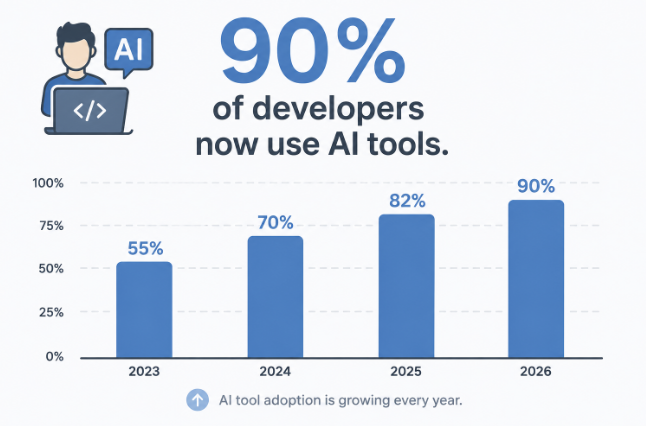
The Stack Overflow Developer Survey 2025 found that more developers than ever are using AI in their workflow, though trust in these tools has actually dipped slightly, with only 60% reporting favorable sentiment, down from 70%+ in previous years. The takeaway? Developers are using AI tools more, but they’re also getting more discerning about which ones actually deliver.
That’s exactly the lens you should apply when evaluating the options below. The best tool isn’t always the most popular one, it’s the one that fits how you actually work. And just like with SEO for small businesses, the tools that actually move the needle are usually the ones you commit to deeply, not the ones you switch between every month.
1. GitHub Copilot: The Industry Standard
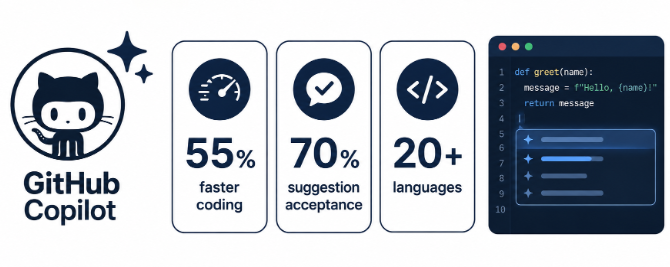
GitHub Copilot remains the most widely used AI coding assistant in the world, trusted by millions of individual developers and tens of thousands of companies. Built on GPT-based models and trained on billions of lines of public code, it integrates directly into VS Code, JetBrains, Neovim, and Visual Studio.
Real performance numbers are hard to argue with: GitHub reports 55% faster code completion compared to manual coding, and a 70% acceptance rate on suggestions. That means when Copilot makes a suggestion, developers are actually using it seven times out of ten.
Best for: Developers who want a low-friction AI layer inside their existing IDE without changing how they work.
Pricing: Free tier available; Pro at $10/month; Business at $19/user/month.
Watch out for: It can suggest code with security vulnerabilities or licensing issues if you blindly accept suggestions. Always review before committing.
2. Cursor: The AI-Native Code Editor
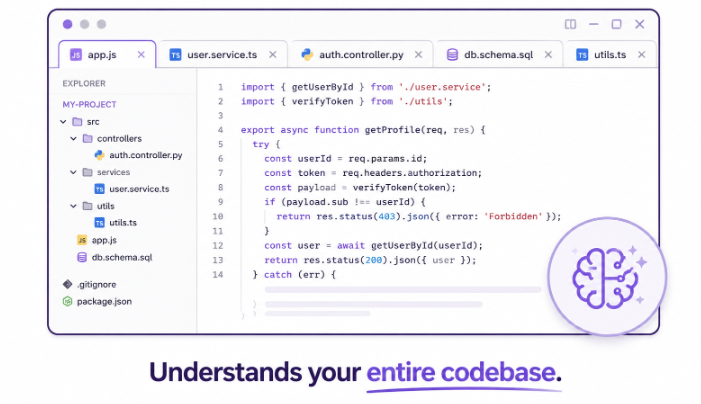
Cursor has become one of the fastest-growing developer tools of the last two years. Rather than being a plugin on top of an existing editor, Cursor is a full VS Code fork rebuilt from the ground up with AI at its core. It understands your entire codebase, not just the file you have open and can make multi-file edits, explain complex logic, and even propose architectural changes.
Where GitHub Copilot feels like an intelligent autocomplete, Cursor feels more like a pair programmer who actually knows your project. Developers using Cursor report significantly faster debugging cycles and less time hunting through large codebases for context.
Best for: Full-stack developers and solo founders who want deep AI integration across a whole project, not just line-by-line suggestions.
Pricing: Free tier available; Pro at $20/month.
Watch out for: Can be overwhelming for simple projects. The real value shows on larger, more complex codebases.
3. Claude Code: Best for Complex Reasoning
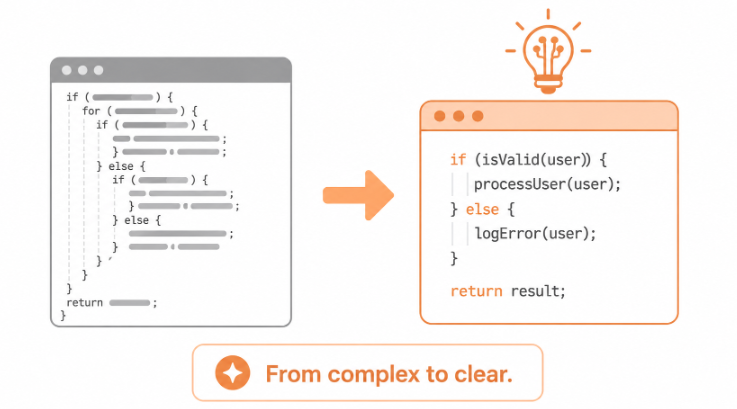
Claude Code, built by Anthropic, has quickly earned a reputation as the go-to tool when the problem you’re solving requires actual reasoning rather than pattern matching. Unlike tools that excel at boilerplate or autocomplete, Claude Code performs especially well on tasks like understanding legacy code, refactoring, writing documentation, and explaining why something is broken, not just how to fix it.
It operates as an agentic CLI tool, meaning it can work through multi-step tasks autonomously: reading files, writing code, running commands, and iterating based on the output. For developers dealing with messy, undocumented codebases, this is hard to overstate. Knowing how to find the publication date of a website or trace when a codebase was last actively maintained is the kind of context that Claude Code handles naturally, it doesn’t just read your code, it reasons about it.
Best for: Senior developers, open-source contributors, and teams dealing with complex or inherited codebases.
Pricing: Usage-based through Anthropic’s API; also available via Claude.ai Pro subscription.
Watch out for: Can be slower than faster autocomplete tools for simple, repetitive tasks. Not always the right tool for quick suggestions.
4. Windsurf: The Rising Challenger
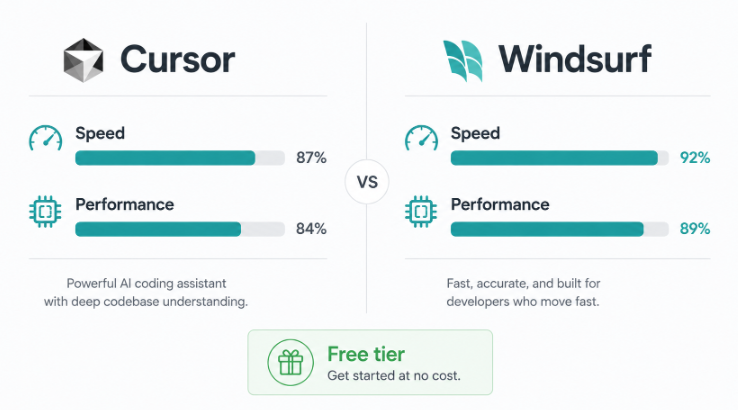
Windsurf (by Codeium) has positioned itself as a direct alternative to Cursor, and in many benchmarks it’s giving it a serious run. Like Cursor, it’s a full editor built around AI-first workflows with strong multi-file context and agentic capabilities. Where Windsurf differentiates itself is in speed and a slightly cleaner interface, many developers who find Cursor occasionally sluggish have switched and stayed.
It also comes with a more generous free tier than most competitors, making it a strong starting point for developers who want Cursor-level AI without the immediate cost.
Best for: Developers who want an AI-native editor experience without committing to Copilot or paying for Cursor Pro upfront.
Pricing: Free tier with generous limits; Pro at $15/month.
Watch out for: Newer tool with a smaller community than Cursor or Copilot, so finding answers to edge-case issues can be harder.
5. Tabnine: The Privacy-First Option

Not every developer works on projects where they’re comfortable sending code to a third-party cloud. Tabnine addresses this directly by offering on-premise and private deployment options alongside its standard cloud offering. It’s been around longer than most tools on this list, and while it doesn’t have the headline-grabbing capabilities of Cursor or Claude Code, it’s rock-solid for what it does: fast, accurate, context-aware code completion.
For teams in regulated industries, fintech, healthcare, enterprise SaaS, Tabnine’s privacy stance is often the deciding factor.
Best for: Enterprise teams, security-conscious developers, and anyone working in regulated industries where code cannot leave the building.
Pricing: Free basic tier; Pro at $12/user/month; Enterprise pricing on request.
Watch out for: Less suited to complex reasoning tasks. Think of it as a smarter autocomplete, not a full AI collaborator.
6. Kuberns: AI-Assisted Deployment, Where Code Meets Infrastructure
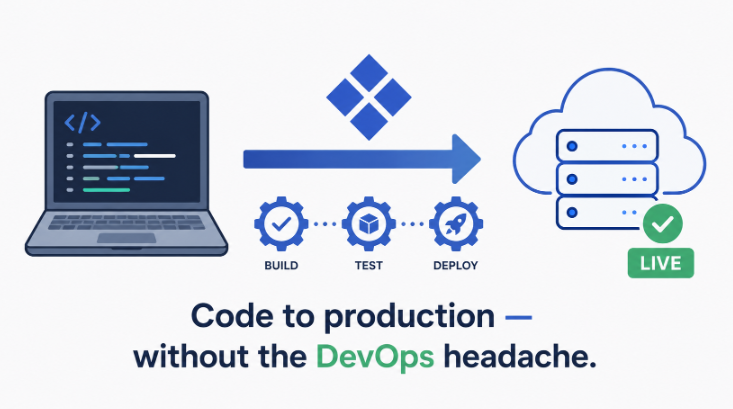
Writing good code is only half the job. Getting it deployed, scaled, and running reliably is the other half and it’s where many developers lose hours every week.
Kuberns bring AI-assisted automation to the infrastructure side of development. Rather than manually configuring Kubernetes clusters, managing deployments, or debugging infrastructure failures, developers can ship applications with significantly less operational overhead. For teams building on Node.js, Python, Django, Next.js, Go, or MERN stacks, this kind of deployment automation is increasingly part of the modern AI-augmented developer workflow, not a separate concern.
Best for: Developers and agencies who want to spend less time on DevOps and more time shipping features.
Choosing the Right Tool for Your Workflow
Here’s a simple way to think about it:
- You want fast, frictionless autocomplete in your current IDE → GitHub Copilot
- You want a full AI-native editor for complex projects → Cursor or Windsurf
- You need deep reasoning and complex refactoring help → Claude Code
- Your team has strict data privacy requirements → Tabnine
- You want to stop losing time on deployment and infrastructure → Kuberns
The honest reality is that many developers end up using two or three of these tools in combination, a coding assistant for day-to-day work, a reasoning tool for hard problems, and an infrastructure platform to close the gap between writing code and running it in production.
Final Thought
AI tools for developers in 2026 aren’t about replacing what you do, they’re about removing the parts that slow you down. The developers who are moving fastest right now aren’t the ones avoiding these tools out of skepticism. They’re the ones who’ve found the right combination for their specific stack and workflow, and they’ve integrated it deeply enough that it actually changes how they work.
Start with one tool. Use it seriously for two weeks. Then decide whether to go deeper or move on. That’s a faster path to a real opinion than reading ten more comparison articles.